Platform · Forms and data entry
The numbers that live in spreadsheets, captured properly.
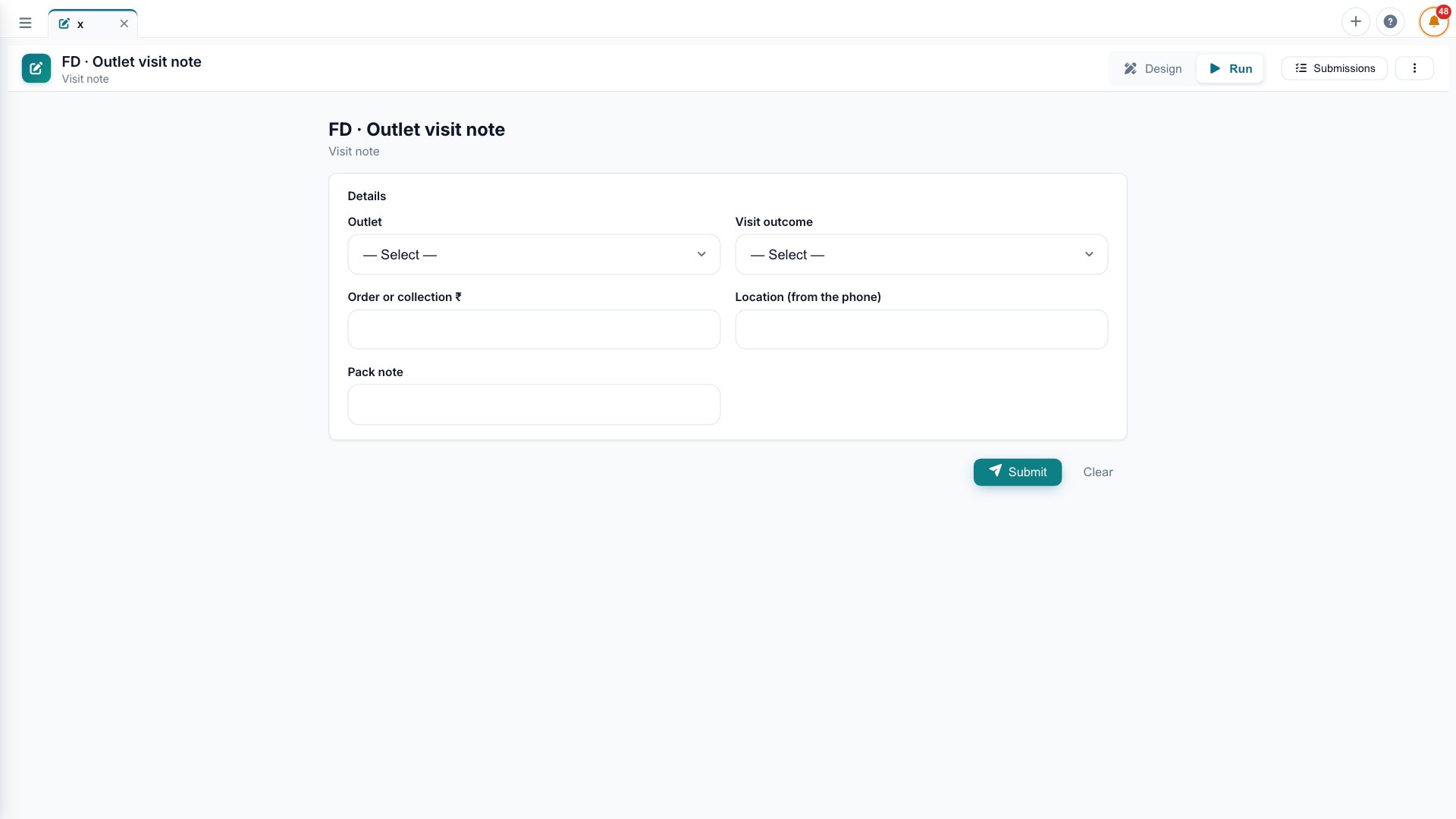
Targets, budgets, visit notes and field data go into simple forms on desktop or phone. The data lands in the same place as everything else, checked and ready for reports.
Targets, plans and field notes live in spreadsheets that never reach the reports.
Simple forms on desktop and phone, with checks and rules, writing into the same data everything else uses.
What a sales rep enters at a shop shows on the regional dashboard the same day.
What you can do
Forms and data entry, in practice.
Fields, dropdowns, rules and required checks, set up by business teams.
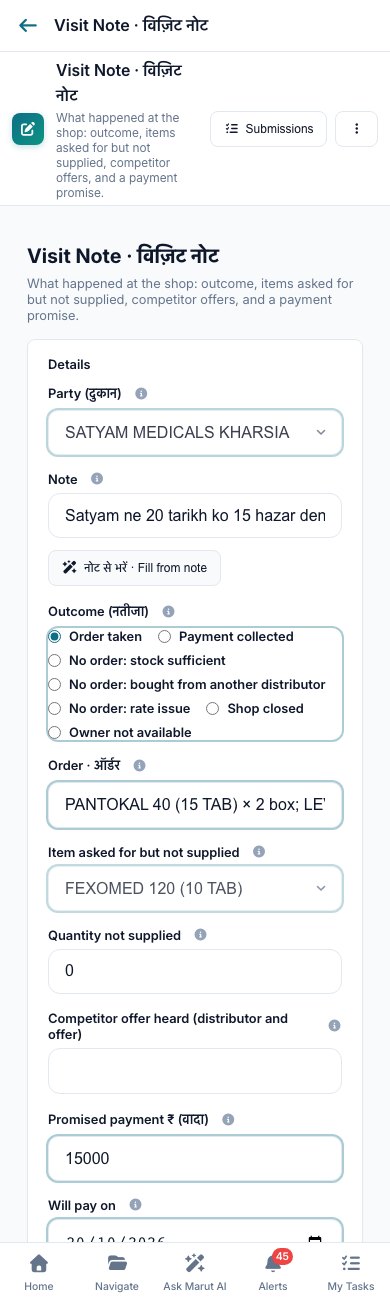
Sales reps fill visit notes and orders from the field.
Load a spreadsheet and Marut checks it before it is accepted.
What people enter shows up in dashboards the same minute.
A typical day
Each sales rep logs a shop visit on the phone, and the regional dashboard shows today's visits by lunchtime.
Questions
Forms and data entry, answered.
Can non-technical staff build a form?
Yes. Fields, dropdowns and rules are set up without code.
Does it work in the field?
Yes. Forms run on the phone, and entries sync when the connection returns.
Can we upload a spreadsheet instead?
Yes. Marut checks the file and reports the rows that fail before accepting it.
Where does the entered data go?
Into the same data store as everything else, ready for reports the same minute.
Can entries need approval?
Yes. A form can route to an approver through workflow.
Connect the data. Understand the business. Act with confidence.
Hand us your data on Monday. Decide better by Thursday. No six-month project, no slideware.